mParivahan-Parivahan sewa | Driving Licence & RC
mParivahan is created by Government of India a official mobile app. It helps citizens access and verify their vehicle and driving-related documents digitally. Parivahan Sewa (parivahan.gov.in) is the official portal managed by the Ministry of Road Transport and Highways (MoRTH), Government of India, providing online transport and vehicle-related services across the country.
The platform offers a wide range of transport-related services, including applying for a Driving Licence and Learner’s Licence, accessing RC services (such as duplicate RC, address change, and ownership transfer), obtaining a Vehicle Fitness Certificate, permit-related services, online fee payment, appointment booking, and many other vehicle and driver-related services.
Overview of mParivahan
mParivahan is an official mobile app launched by the Government of India to provide digital transport services to the public. With this app, users can securely store and conveniently access essential documents, such as their Driving Licence (DL) and Registration Certificate (RC), directly from their smartphones.
With this app, users can avoid carrying physical documents in many situations, as digital copies of their Driving Licence (DL) and Registration Certificate (RC) are accepted as valid proof by traffic authorities.
Download and Install the mParivahan App
For Android Users:
- Open Google Play Store on your device.
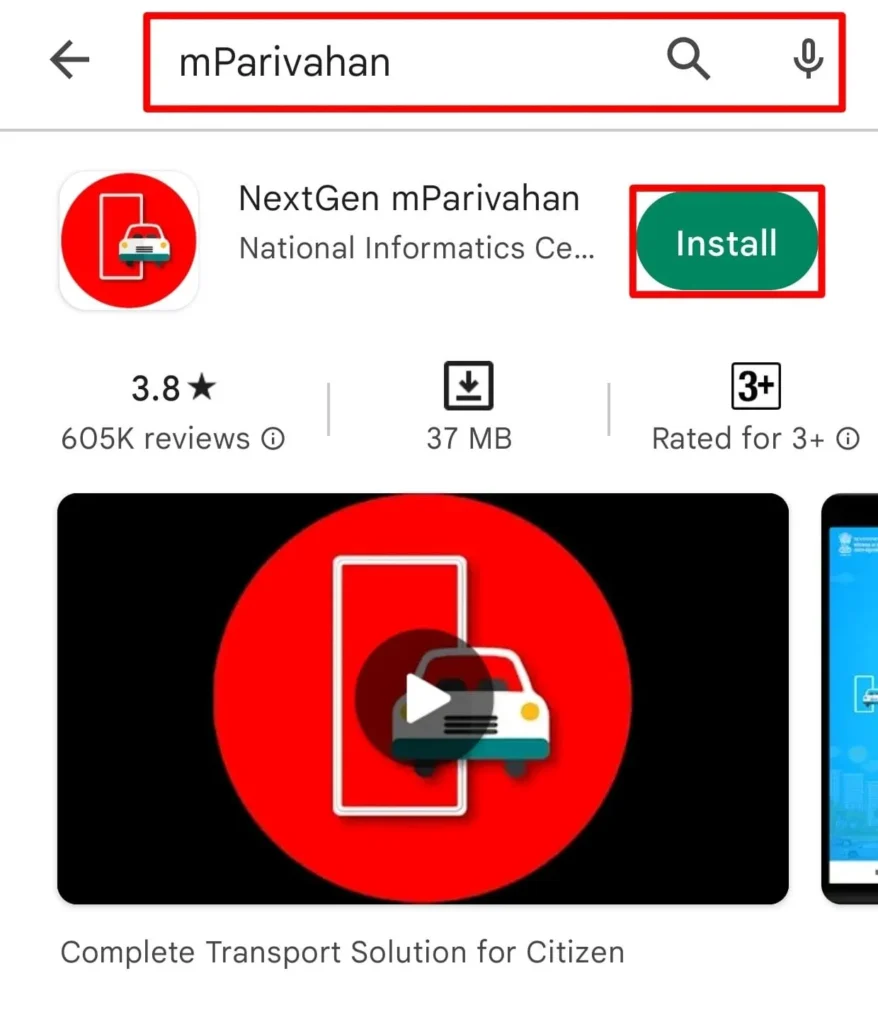
- Type mParivahan in the search bar.
- Download and install the app.
For iOS Users:
- Open Apple App Store in your phone.
- In search bar search mParivahan.
- Click Get to download and install the app.
Note
Before installing the app, verify that the developer is the National Informatics Centre (NIC) and download the official mParivahan app only from a trusted app store.
Signing Up on mParivahan App
Creating an account on the mParivahan app is simple and only takes a few minutes. Once registered, you can easily access your digital Driving Licence, Registration Certificate (RC) details, and a wide range of transport-related services.
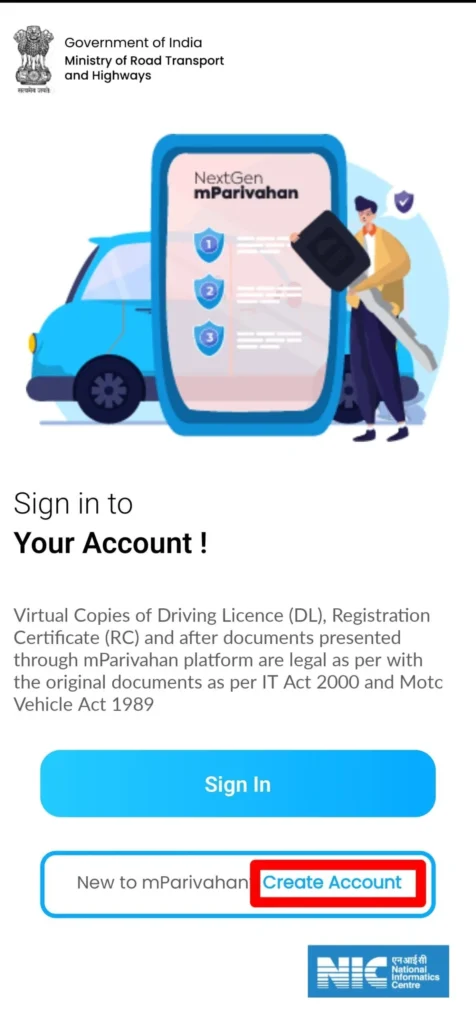
- Download and Install the app in your Phone.
- Click on Sign Up / Register option.
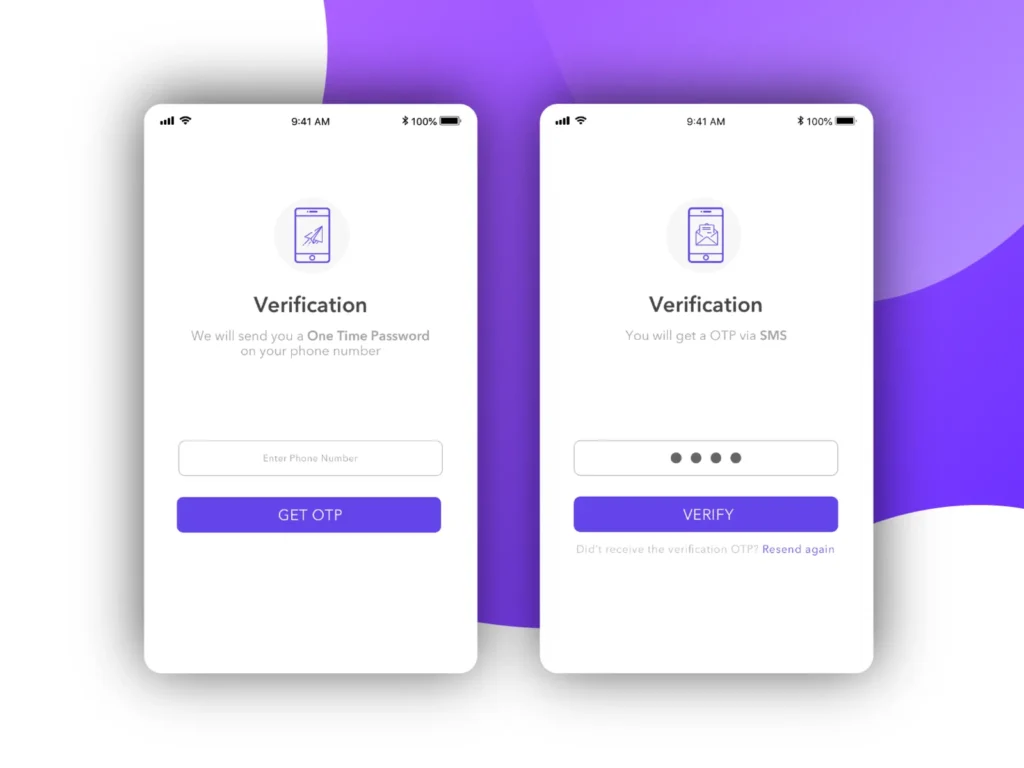
- Enter your active mobile number and click on Get OTP.
- Verify the OTP received on your phone.
- Enter the OTP click on verify.
- Enter basic details like:
- Name
- Email (if required)
- Create PIN / Password
- Add a unique username and create a strong password.
- Add 4 digit mobile PIN to login.
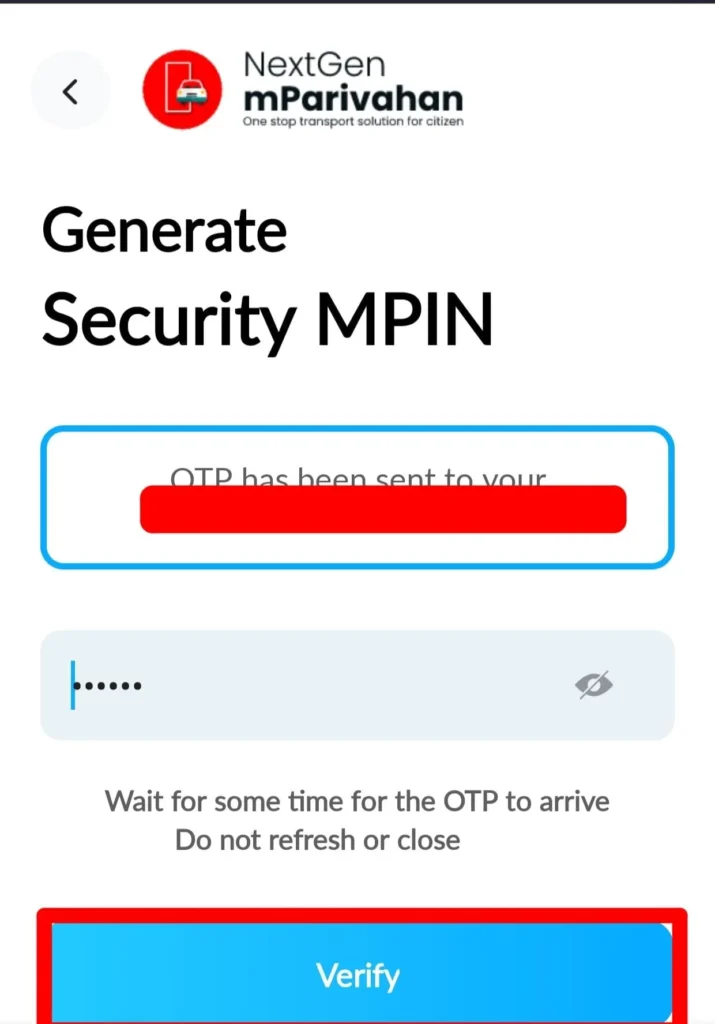
- Click on verify your account is created.
Services on mParivahan App and Portal
The mParivahan digital system provides a wide range of transport-related services online.
Virtual Driving License (DL)
A Virtual Driving Licence (DL) is a digital version of your physical driving licence that you can securely store and access on your smartphone. It is easily available through the mParivahan app.
- Open the app and sign in to your NextGen mParivahan account.
- Click My Virtual DL to view your digital driving licence.
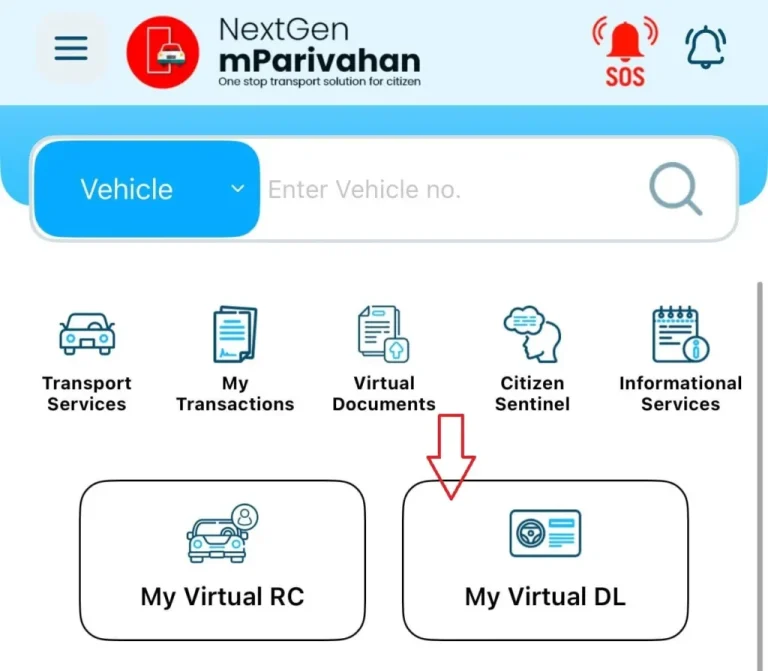
- Enter your Driving Licence detail, Number, Date of birth (or required details).
- View information like:
- License holder’s name
- License type (e.g., LMV, MCWG, HMV)
- Issue and expiry dates
- Issuing RTO
- Status (active/suspended)
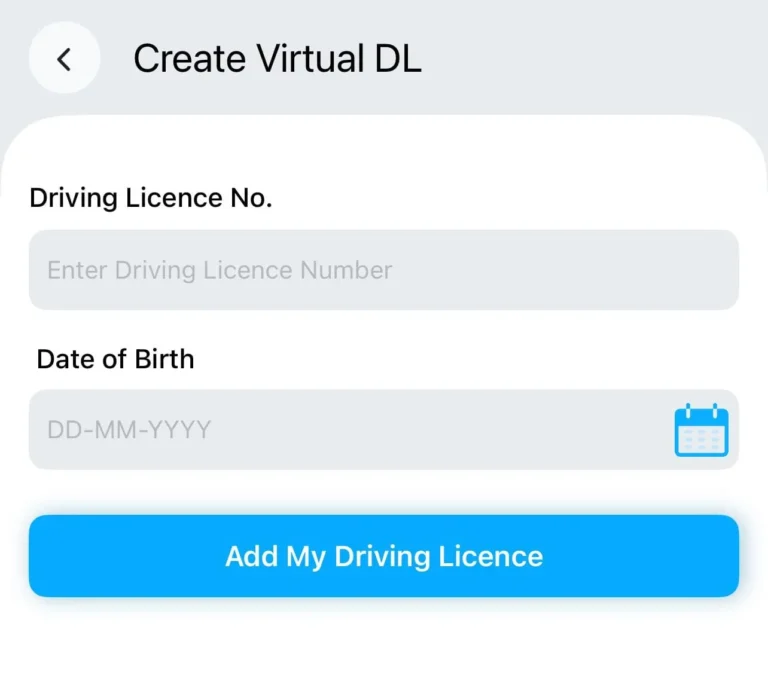
- Click on Submit Button.
- Your Virtual Driving Licence has been added to the app.
Additional Features:
- Open DL anytime
- Show during document checking
- Use it as digital proof
Virtual Registration Certificate (RC)
To get your Virtual RC (Registration Certificate) through the mParivahan app, which is connected to the government transport database, follow these steps:
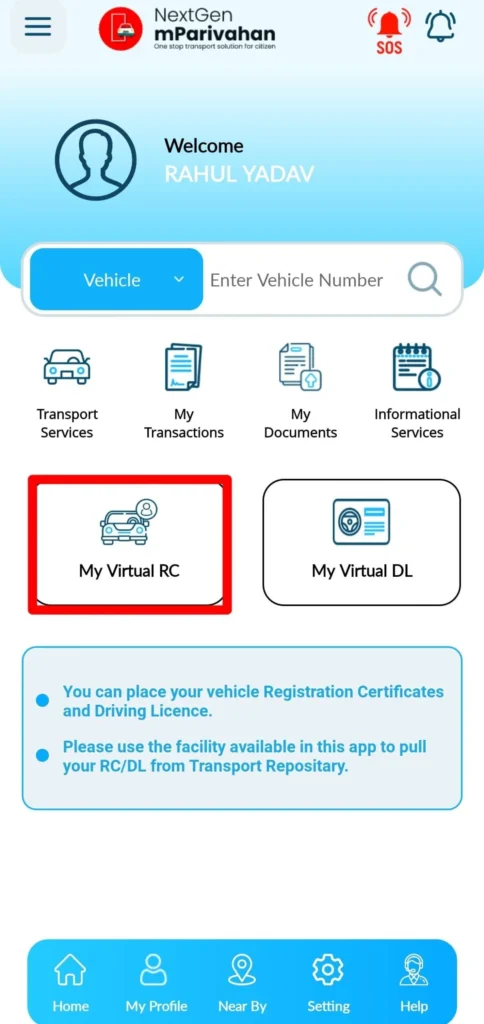
- Download and install the mParivahan app.
- Login with mobile number, verify OTP or MPIN.
- Click on RC and My Virtual RC.
- Add vehicle Registration number 4-5 digits of Chassis Number, Engine Number.
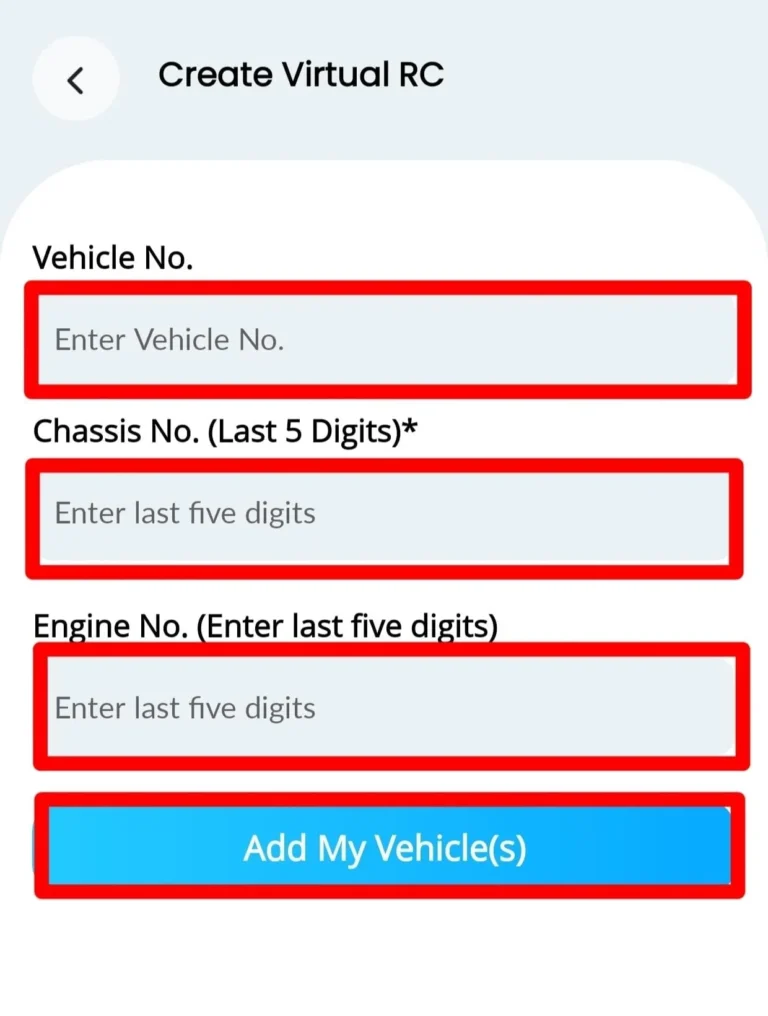
- Click Add My Vehicle to view information like:
- Vehicle owner’s name
- Vehicle registration number
- Vehicle model and manufacturer
- Fuel type (Petrol, Diesel, CNG, EV, etc.)
- Registration date
- Registration validity date
- Vehicle class (Car, Bike, Transport, etc.), Engine number (partially masked sometimes, Chassis number (partially masked), RTO / Registering authority detail Insurance details (if available), Pollution (PUC) status (if available, RC status (Active / Expired, if shown)
- Click on download Virtual RC for offline access.
E-Challan Management
You can check your traffic challan (fine) online through the official government portal.
- Open the app and Login to your account.
- Click on Transport Services.
- Select Traffic Challan or Check Challan Status.
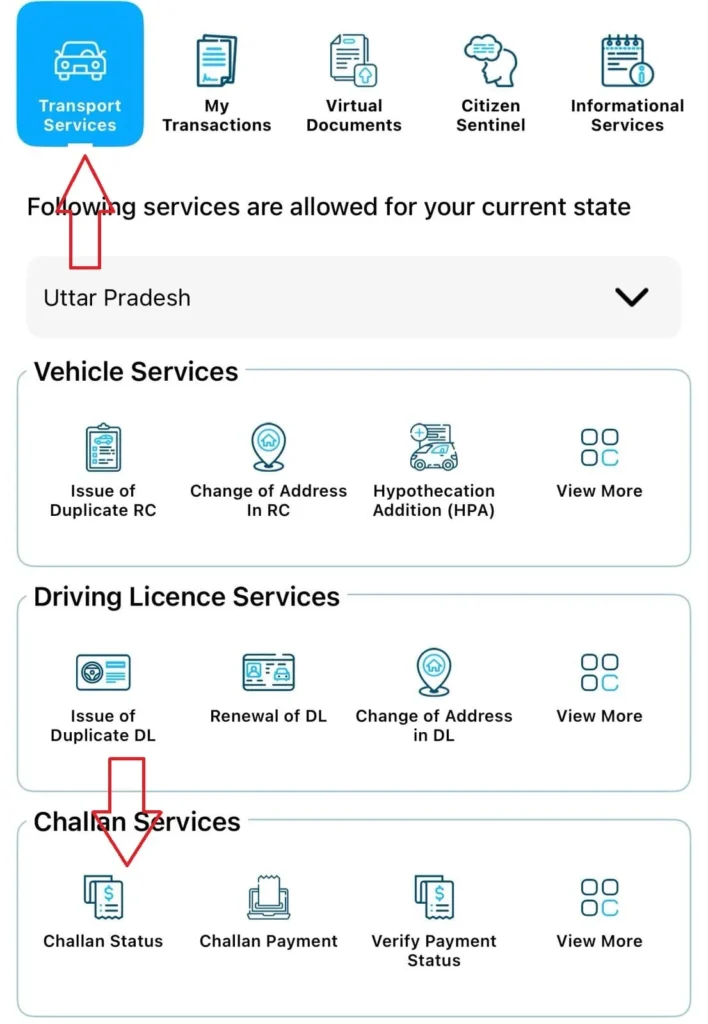
- Add details like:
- Vehicle Number OR
- Driving Licence Number OR
- Challan Number
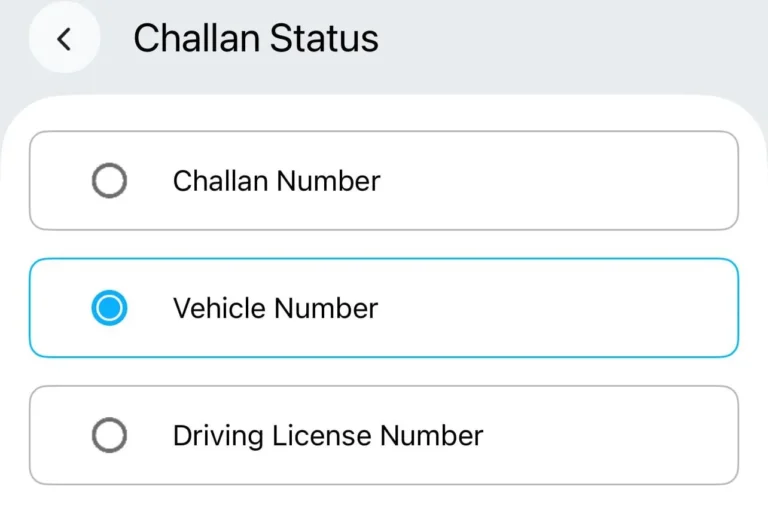
- Click on Search / Get details.
- Check your challan details:
- Violation type
- Date and time
- Location
- Fine amount
- Payment status
- Click on Pay Now the challan with UPI, debit/credit card, or net banking.
mParivahan App Services
| Service | Description |
|---|---|
| Challan Services | With the app, you can check and pay your pending traffic challans online. It lets you view real-time challan status, make secure payments, verify payment status, download challan details, access payment receipts, and view information such as the challan number, issue date, and reason for the penalty. |
| Vehicle Services | The Vehicle Registration (RC) services allow users to check vehicle registration details, owner information, insurance validity, and fitness status online. Users can also apply for a Duplicate RC, update the address in the RC, add, continue, or terminate Hypothecation (HPA/HPC/HPT), obtain a No Objection Certificate (NOC), request RC particulars, track application status, dispose of pending applications, update their mobile number, verify payment status, view fee receipts, download required forms, and download application slips. |
| Driving Licence Download Services | The Driving Licence (DL) services enable users to check their licence status, verify its authenticity, and download a digital copy online. Users can also apply for a Duplicate Driving Licence, renew or replace their licence, update the address, track application status, obtain a Driving Licence Extract, apply for an International Driving Permit (IDP), and update their registered mobile number. |